
Download FCleaner – cleaner, utility, tool, optimize, privacy, files, optimize performance, free
Overview
FCleaner is a utility application designed to help users maintain optimal performance on their Windows systems by removing unnecessary files and enhancing privacy. The app addresses common issues such as cluttered storage, slow boot times, and the accumulation of sensitive browsing data. By targeting temporary files, browser history, and application logs, FCleaner streamlines system operations and helps reclaim valuable disk space. Its primary purpose is to simplify system maintenance for both casual users and tech-savvy individuals who seek a reliable tool to keep their computers running efficiently.
The application is positioned within the broader ecosystem of system optimization tools, offering a lightweight alternative to more complex software. While the developer, FCleaner, has not provided extensive background details, the app’s long-standing presence since its release on February 22, 2012, suggests a focus on stability and consistent functionality. Real-world use cases include regular cleanup routines after software installations, privacy protection when sharing devices, and performance tuning before critical tasks such as video editing or gaming.
Although the developer did not provide additional technical details, the app’s continued availability and free pricing model indicate a commitment to accessibility. FCleaner serves as a foundational tool for users who prioritize system health without requiring advanced configuration. Its role in the utility category underscores its value in maintaining a clean, secure, and responsive computing environment.
Key Features & Functionality
- Comprehensive File Cleaning: FCleaner scans and removes temporary files, logs, and items in the Recycle Bin to free up storage and improve system responsiveness. This is particularly useful after software updates or large downloads.
- Browser Privacy Protection: The tool supports major browsers like Internet Explorer, Firefox, and Chrome, enabling users to clear browsing sessions, cookies, and history. This helps protect personal data when using shared or public computers.
- Application Log Deletion: FCleaner targets logs from common applications such as Windows Media Player, Office, and Adobe Photoshop, ensuring residual data does not remain after use. This contributes to both privacy and system tidiness.
- Simple Uninstaller Tool: Users can remove unwanted programs without navigating through Windows Settings. This feature simplifies software management and helps reduce clutter in the installed applications list.
- Manage Startup Programs: The app allows users to disable unnecessary programs from launching at startup, which can significantly reduce boot time and improve overall system performance.
Each feature is designed to address real-world scenarios such as preparing a computer for a presentation, cleaning up after a malware scan, or optimizing a device before installing new software. The integration of multiple tools into a single interface enhances usability, making system maintenance more accessible to non-technical users.
Interface, UX & Performance
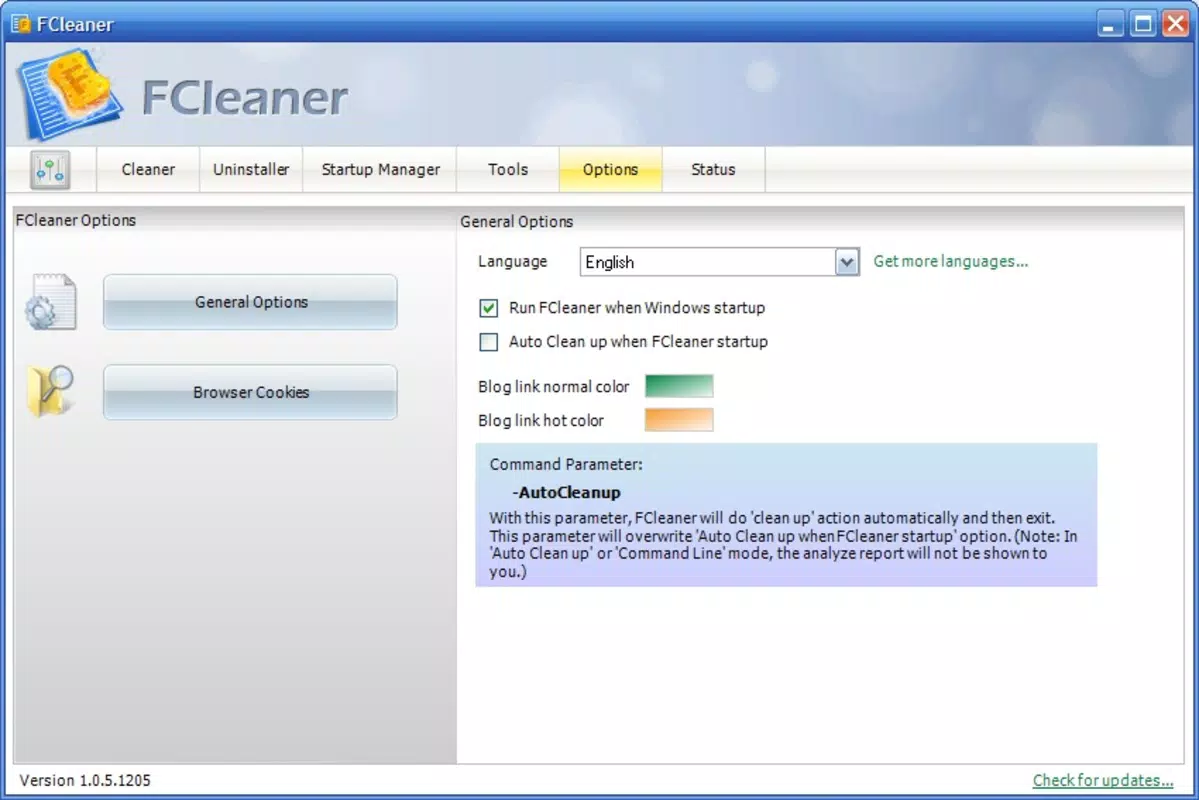
FCleaner presents a straightforward interface with minimal visual clutter, prioritizing functionality over design. The layout is organized into clearly labeled sections, allowing users to navigate between cleaning tasks, uninstallation, and startup management with ease. Visual cues and progress indicators are present during scans and deletions, providing feedback without overwhelming the user.
Navigation is intuitive, with a top-level menu guiding users through core features. The app maintains consistent performance across different device categories, though the developer did not list formal performance metrics. Although the developer did not list formal performance metrics, the lightweight size of 1.2 MB suggests efficient resource usage. The application responds promptly to user inputs and completes scans and cleanup tasks without noticeable lag on standard systems.
Stability appears to be a key focus, as the app has remained in use since 2012. The absence of reported crashes or compatibility issues in public records indicates a reliable operation. However, specific requirements were not listed, and the developer did not disclose compatibility details beyond the platform.
Platform Compatibility & Technical Requirements
FCleaner is available for the Windows platform. The app’s current version is 1.0.0.0, with a file size of 1.2 MB. This small footprint indicates a minimal installation footprint, making it suitable for older or low-resource systems. The developer did not specify minimum OS requirements, nor did they provide information about supported Windows versions.
Compatibility information was not fully disclosed, so users should exercise caution when installing on newer or less common Windows configurations. The app’s long-standing presence suggests it may function on a range of Windows editions, but official support details are not available. The file size and version number are consistent with a lightweight, legacy utility designed for basic system maintenance.
Pros and Cons
Pros
- Free to download and use, making it accessible to all users.
- Lightweight design with a small file size of 1.2 MB.
- Offers multiple system maintenance tools in a single interface.
- Supports common browsers and applications for privacy cleanup.
- Simple, intuitive interface suitable for non-technical users.
Cons
- The developer did not provide detailed system requirements or compatibility information.
- No recent updates or changelog were listed, raising questions about ongoing development.
- Limited visual design and modern interface elements.
- Specific performance benchmarks or user feedback data were not disclosed.
- Compatibility with newer Windows versions is uncertain due to lack of official details.
FAQ
Is FCleaner safe to use on my computer?
Yes, FCleaner is designed to remove only non-essential files such as temporary data, logs, and browser history. It does not affect system files or personal documents. However, users should review the items to be deleted before confirming any action.
Can I use FCleaner on Windows 11?
The developer did not specify compatibility with Windows 11. While the app has been available since 2012, users should test it on their system to confirm functionality.
Does FCleaner require an internet connection?
FCleaner does not require an internet connection to perform basic cleaning tasks. However, some features may rely on online resources, though this was not specified.
How often should I run FCleaner?
Users can run FCleaner periodically—such as once a week or after installing new software—to maintain optimal performance and privacy.
Is FCleaner available for mobile devices?
FCleaner is designed for Windows desktop systems. The developer did not provide information about mobile versions or availability on Android or iOS.
Final Thoughts
FCleaner remains a functional and accessible tool for users seeking to maintain a clean and efficient Windows environment. Its ability to combine file cleanup, privacy protection, and system optimization in a lightweight package makes it a practical choice for individuals who prefer simplicity and reliability. While the interface lacks modern design elements and the app shows no signs of recent updates, its core functionality continues to serve its intended purpose.
For users who prioritize system health without the complexity of advanced tools, FCleaner offers a straightforward solution. Its free status and minimal resource usage enhance its value proposition. Though it may not be the most feature-rich option available, it fills a niche for basic system maintenance with proven longevity.
Download FCleaner now


